Google isn’t indexing your page? Find the reason first
A page missing from the index is not a reason to rewrite the whole site. I start with URL Inspection in Search Console and compare what Google last crawled with the page as it is now.
TL;DR
- Start with the exact URL and its URL Inspection report in Search Console.
- Distinguish the last crawled version from a live test of the page.
- Choose a fix from the evidence, record it, and check again. An indexing request does not guarantee inclusion.
Test record: Checked on nirlevi.com on 13 October 2026: Codex (AI) collected three URL Inspection reports and HTTP responses, and checked the explanation against Google documentation. This was not a Google Live Test or confirmation of future indexing.
A case from this site: the report and page describe different dates
On 13 October 2026, Codex inspected three nirlevi.com URLs through the URL Inspection API and compared them with same-day HTTP responses. The llm.html report still described a version crawled on September 30, while the URL now redirected elsewhere. This is a useful check before concluding that a redirect is broken.
| URL | URL Inspection result | Last crawl (UTC) | HTTP on 13 October 2026 |
|---|---|---|---|
| /llm.html | Submitted and indexed | 30 September 2026, 21:36 | 308 → /en/ai-info/ → 200 |
| /en/ai-info/ | Submitted and indexed | 1 October 2026, 17:07 | 200 |
| /research/israeli-geo-hebrew-english/ | URL is unknown to Google | No crawl time returned | 200 |
For the old URL, Google still returned llm.html as its selected canonical. The destination report selected /en/ai-info/ itself. I would retain the working redirect and recheck after a fresh crawl. These two reports are not a reason to restore the old page or change the redirect destination.
The research page presents a different situation: HTTP returns its content with status 200, while the index report does not yet recognize it. This is not “Crawled — currently not indexed.” I would check discovery through internal links and the sitemap, then run a Live Test in Search Console. A missing crawl timestamp does not establish a content-quality problem.
To repeat the diagnostic on your site, save the exact URL, status, crawl time and Google-selected canonical. Add today’s server response. Then choose the next action: repair a block, investigate an incorrect destination, improve discovery or wait for a new crawl record.
Saved URL Inspection reports · HTTP responses and redirect hops. Account-specific access links were omitted from the export. These are indexed-version reports and separate HTTP checks; no Google Live Test or indexing request was run.
Inspect one URL, not a hunch
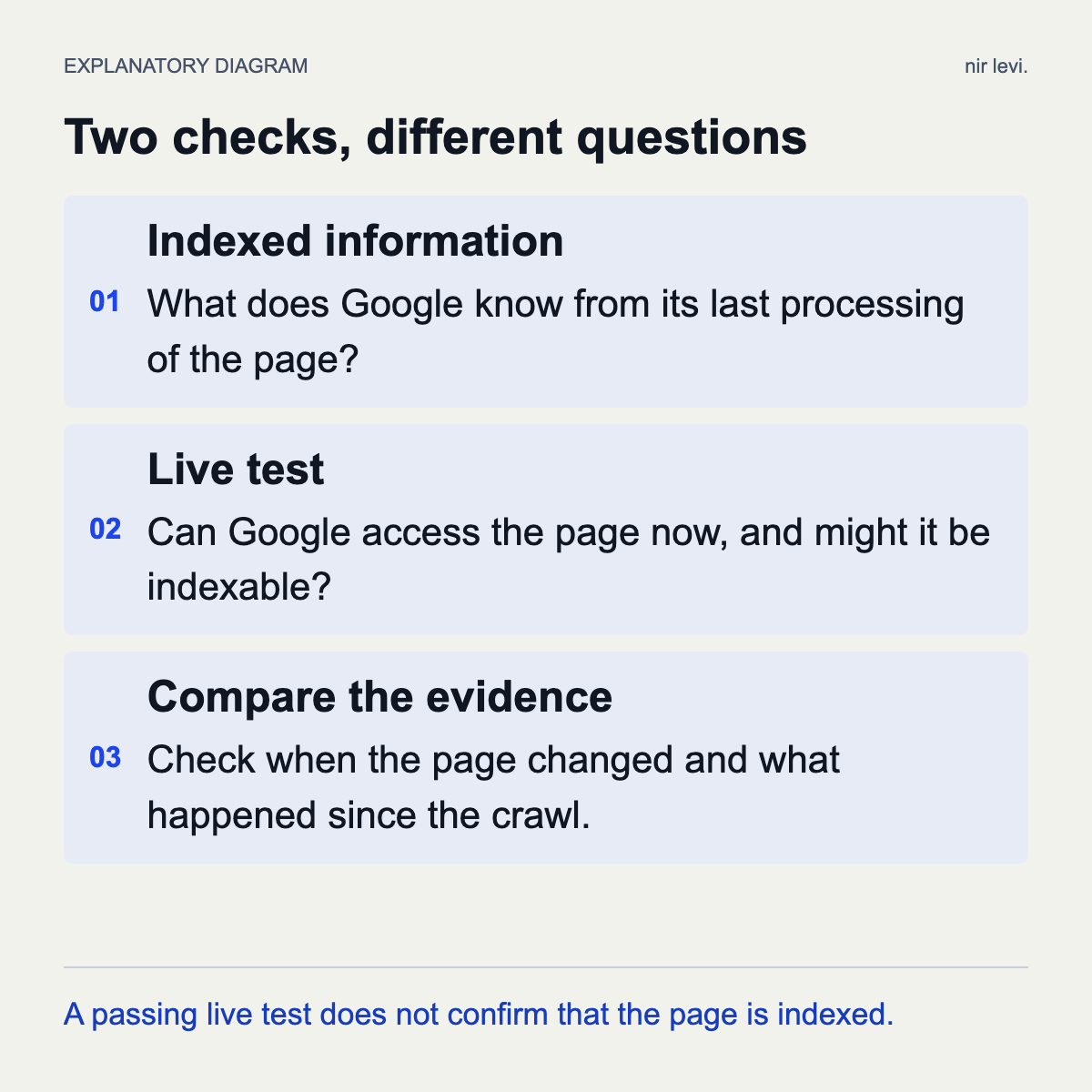
Open the relevant Search Console property and paste the complete URL. Record its status, last crawl date, and the reported reason. The report describes the version Google knows about; a live test examines the page as it is now. Those are different questions.
If the page changed after its last crawl, the difference between the report and the live test may matter. A successful live test does not guarantee indexing. Use Google’s documentation to interpret the specific reason shown for your URL.
Let the finding guide the next check
Avoid changing an entire website because of one page. Start with a short checklist, recording answers instead of applying a broad ‘SEO problem’ label:
- Access: does the URL return the expected content without requiring a login or producing a server error?
- Instructions: is a noindex directive present, and is crawling allowed?
- Preferred URL: does the page name a different canonical URL, and is that intentional?
- Content and links: does this page provide a distinct, useful answer, and can visitors reach it through the website?
Compare a similar page that is indexed
Choose an indexed page using the same template: two product pages or two guides, for example. Compare their content, internal links, and settings. This can narrow the investigation, but the comparison alone does not establish a cause.
If several pages using the same template share a finding, investigate the template. If it concerns one URL, start there. A focused task is easier to verify after a change.
Fix, record, and check again
Record the identified issue, the change, its owner, and the date. After a relevant fix, you can use Search Console’s request indexing option. A request does not guarantee inclusion in the index.
Set a follow-up date and avoid changing several variables every day. When the finding remains unclear, collect another piece of evidence, such as the server response or the content Google sees, before deciding to rewrite or delete the page.
Google Search Console Help: URL Inspection tool ↗Sources & further reading
Sources checked on
How this article was created
- AI involvement
- AI-assisted drafting
- Recorded tools
- Codex
- Last substantive update
- Translation
- AI-assisted translation